

A website that only a developer can change goes stale. Every new case study, job post or price change waits in a queue. So the team stops asking, and the site falls behind the business. We build every Webflow and Framer site so your team can edit it from day one. That takes more than handing over a login. It takes a site that is set up to be changed. Here is how we do it.
Put repeating content in the CMS
Anything that repeats belongs in a CMS collection: blog posts, case studies, job listings, team members, reviews, FAQs. You design the template once. After that, adding an entry means filling in a form. Title, summary, image, tags, publish.
The test is simple. If you expect to add more of something next year, it should be a collection, not a page someone builds by hand.
Seconds, a site we built in Webflow, shows what this looks like at scale. Its Insights section holds articles and client cases, with titles like “How Hansgrohe Sparked a Method-Based Innovation Culture”. The listing page has filters for trends, industries, capabilities, services and type, plus a “LOAD MORE” button. Each case page follows the same pattern: title, summary, date, reading time, tags, an author block and a “RELATED INSIGHTS” grid at the end.
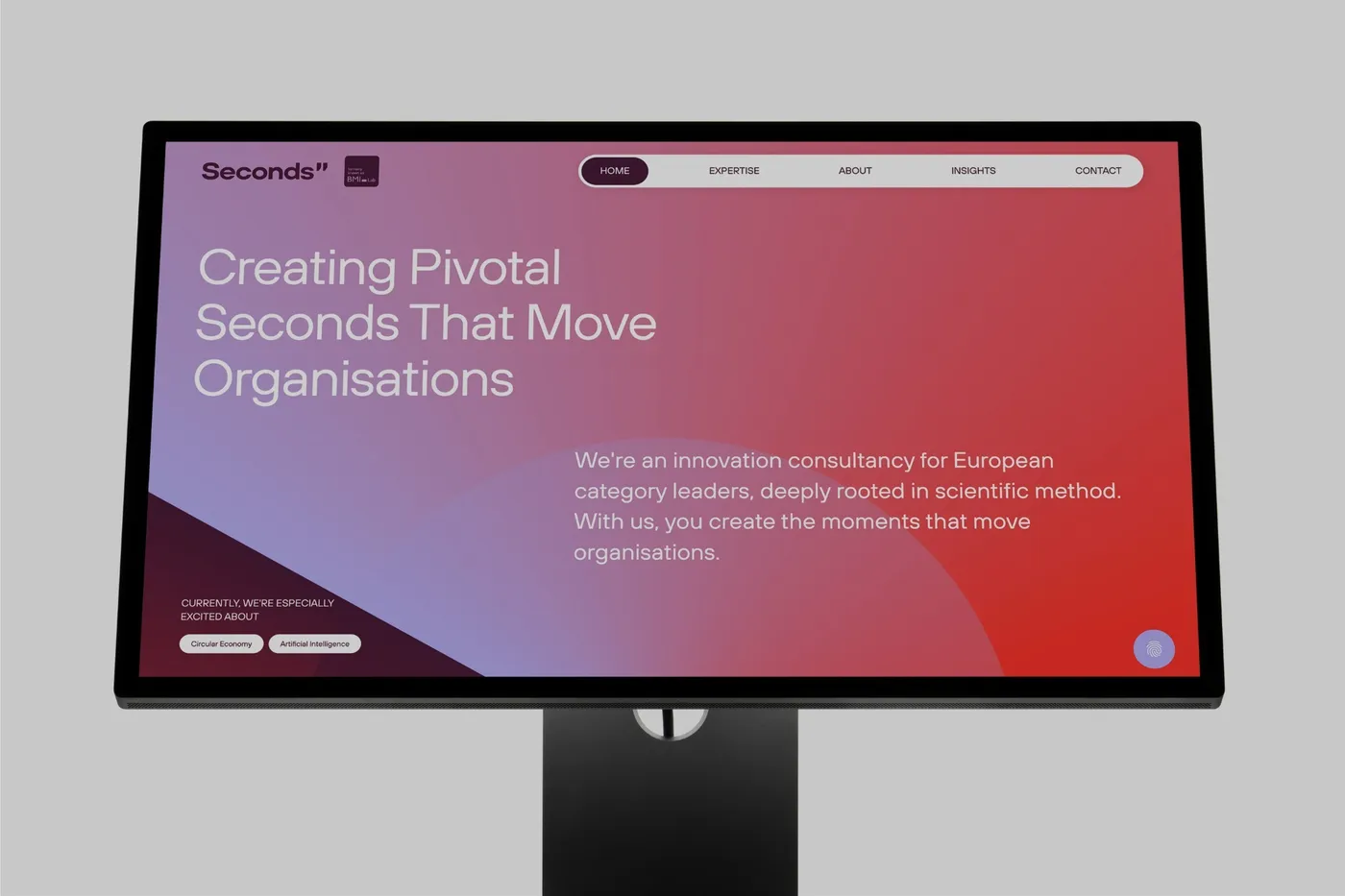
That is the payoff of a collection. The layout is built once, and every new entry drops into it looking like it belongs.
Build pages from reusable sections
A page should be a stack of sections: hero, feature grid, testimonials, FAQ, call to action. Each one is a component in Webflow or Framer. When your team needs a new landing page, they stack existing sections and change the words. Nobody starts from a blank canvas.
Components also keep the site consistent. Change the button style in one place and every button updates. Fix the spacing in the FAQ component and it is fixed on every page that uses it.
Even a one-page site has parts that change. Bárries, a site we built in Webflow, is a single long page. It lists services such as “Strategie & Konzeption” [Strategy and concept] and “Community Management”. It has a reviews section headed “Bewertungen, die für sich sprechen.” [Reviews that speak for themselves.], project examples including one titled “Secret Project” and marked “Coming Soon”, and an FAQ. Each of those is a list of similar items. The next service, review or project looks like the last one. That is exactly where a shared component or a small collection earns its keep.
Name things so anyone can find them
Clear names are the cheapest guardrail there is. A new marketing hire should be able to open the CMS or the component panel and know what each thing is without asking.
- Collections named for what they hold: Case studies, Jobs, Reviews. Never “Collection 3”.
- Fields named for what goes in them, with a note on how it is used. In Webflow, each CMS field can carry help text, so the instruction sits right next to the box.
- Components named for their job: “CTA banner”, “Logo row”, “FAQ list”.
- Classes and styles that follow one naming system, so the same thing has the same name everywhere.
If someone has to message a colleague to find the right field, the naming has failed.
Decide what lives in the site
Not everything has to sit in your CMS. Primegate, a site we built in Webflow, speaks to two groups. Companies get a page that opens with “Schlüsselrollen besetzen, wenn andere scheitern.” [Filling key roles when others fail.] Candidates get a page that opens with “Diskret wechseln. Schnell zur passenden Rolle.” [Switch discreetly. Get to the right role fast.] The “Karriere” [Careers] link in the menu opens a separate job board.
That pattern is worth copying. If a dedicated tool already handles a type of content well, link to it and keep the site focused on what it does best. Decide early what lives in the site and what lives elsewhere. Otherwise someone ends up updating the same thing in two places, and one of them goes out of date.
Hand over with a walkthrough
A login is not a handover. When a build is done, we walk your team through the site. A good walkthrough covers four things:
- How to add, edit and publish a CMS entry.
- How to build a new page from existing sections.
- How to swap an image or change copy without breaking the layout.
- What not to touch, and who to ask when something needs a structural change.
Record the session. Your next hire can watch it in their first week instead of learning by trial and error on the live site.
Set guardrails so edits do not break the layout
Freedom to edit should not mean freedom to break. Build the limits into the site.
- Use roles. Where your plan allows, give people who only update content an editing role, not full design access.
- Set field rules. Make key fields required and cap the length of titles and summaries, so a long headline cannot push a card out of shape.
- Lock what should not move. Build components with editable properties for text, images and links. Editors change what is meant to change and nothing else.
- Test with real content. Before handover, fill every field with the longest realistic text and the oddest image size, then check every breakpoint.
- Know the undo button. Webflow keeps site backups and Framer keeps a version history. Show your team where they are.
Your team runs the day to day
Set up this way, your team handles the weekly edits on its own: new posts, new cases, new landing pages from existing sections. When you need something structural, like a new section type or a new collection, our monthly plan covers it. Requests come in on Slack or email, and we work through them one at a time in the order you set. Most are done in 2 to 3 business days.
If you want a site your team can actually change, book a call and we will show you how we would set it up.