

Most founders who contact us have already heard of Webflow and Framer, and many ask the same thing first: which one should we use? Both are strong tools. Both produce fast, responsive sites that a marketing team can edit without a developer. The right choice depends less on the tools and more on your content, your team and what you plan to do with the site over the next year or two. Here is how we decide.
What both tools do well
Before the differences, it helps to know how much they share. With either tool, we design and build a site that works on every screen, is hosted for you and stays editable by your team after launch.
Both have a CMS for content that repeats, like blog posts, case studies or job listings. Both let you set page titles, meta descriptions and social sharing images. Both let your marketing team change copy, swap images and publish new posts without opening a code editor or waiting on a developer.
So the question is never which one can build a good website. Either can. The question is which one fits the way your company works.
When we recommend Framer
Framer is our pick for design-led marketing sites. If your site is mainly a strong home page, a few product pages and a blog, and the look and feel carries a lot of the message, Framer is usually the faster route.
A few signs Framer is the better fit:
- You want to launch quickly, for a product release, a funding announcement or a new positioning.
- Motion matters to you. Framer has scroll effects, appear animations and interactions built into the editor, so rich motion does not need custom code.
- Your team thinks like designers. Editing in Framer happens on a canvas that feels close to Figma, so a designer on your team can adjust layouts, not just text.
- The site structure is fairly simple, with a modest amount of CMS content.
For many early-stage SaaS and AI startups, this describes the first version of the site exactly. The team wants something that looks sharp, moves well and can change every few weeks as the product changes.
When we recommend Webflow
Webflow is our pick when structure matters as much as looks. It shines on sites with a lot of content that needs to stay organised as it grows.
A few signs Webflow is the better fit:
- Your content has real structure. Think case studies linked to industries, blog posts linked to authors and categories, or integrations linked to use cases. Webflow’s CMS collections connect to each other through reference fields, which keeps larger content models tidy.
- You want a class-based design system. In Webflow, styles live in reusable classes, so a button or heading looks the same everywhere and one change updates the whole site.
- Your marketing team is bigger, with several people publishing pages, posts and landing pages every month.
- You want detailed control over page structure, HTML tags and SEO settings across a large site.
Established businesses and scaling SaaS companies often land here. The site has become a content engine, and the priority is keeping it consistent while many hands work on it.
The questions we ask on a call
We do not pick a tool out of habit. On the first call we look at three things.
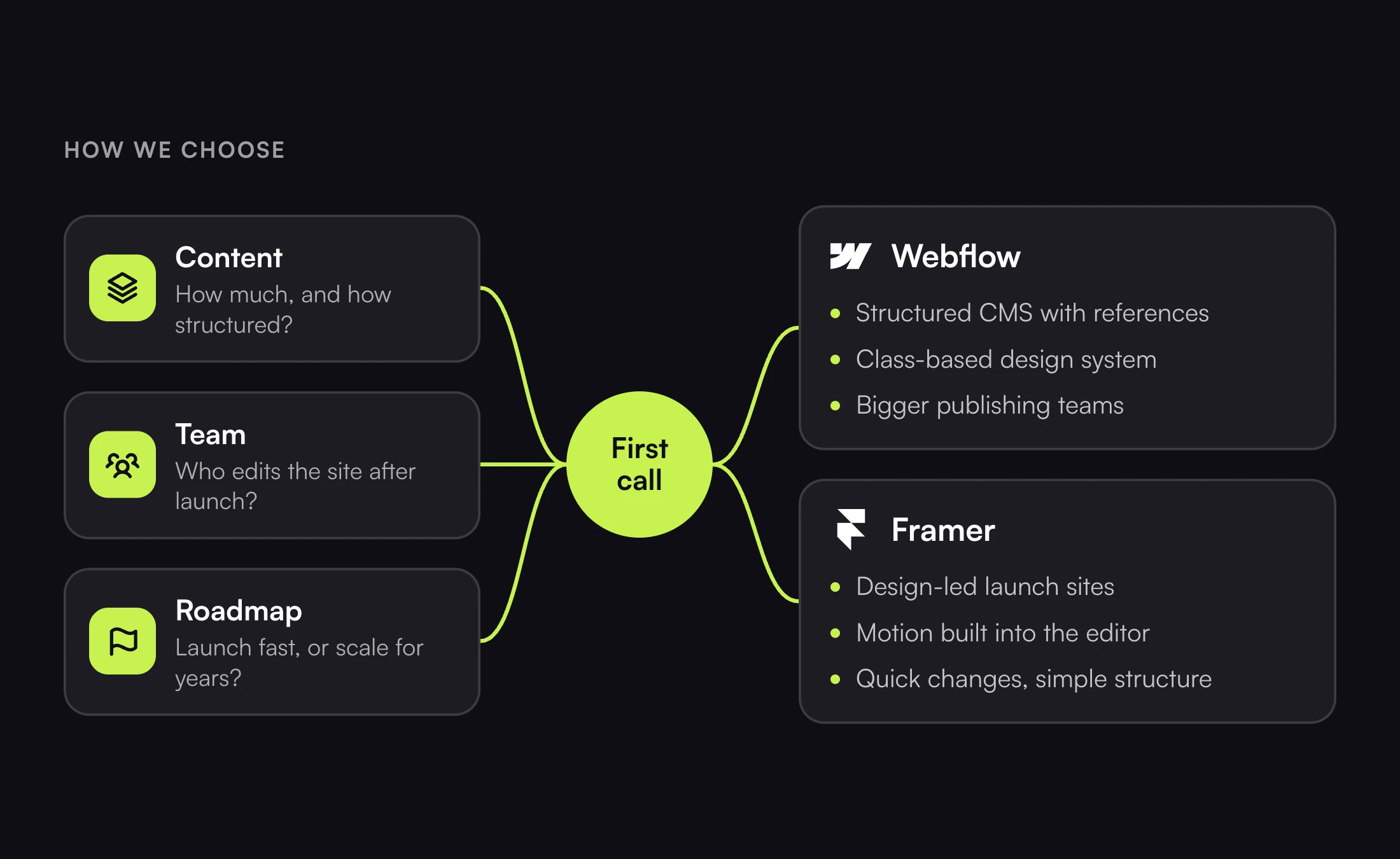
Your content. How many pages do you have today, and how many will you have in a year? Is it mostly a few key pages, or libraries of posts, case studies, docs and landing pages that link to each other?
Your team. Who will edit the site after launch? A designer who wants to move things around, or a marketing team that mostly publishes content into set layouts? How many people need access?
Your roadmap. Are you launching fast and expecting to redesign in a year, or building a site that should scale for years? Are multiple languages, gated content or a CRM connection on the list?
The answers usually point clearly to one tool. When they do not, we explain the trade-off in plain terms and let you choose.
What does not decide it
A few things matter less than people expect.
Speed is one. A well-built site in either tool loads fast. How the site is built matters more than which tool it is built in. Heavy images, too many fonts and careless animation slow a site down on any platform.
SEO is another. Both give you the basics search engines need: clean URLs, editable meta tags, sitemaps and fast pages. Webflow gives you finer control when a site grows large, but a small, well-built Framer site is not at a disadvantage in search.
Ease of editing is the third. People sometimes assume one tool is for designers and the other for developers. In practice, once we hand a site over with a walkthrough, marketing teams publish confidently in both.
How we help you choose
On a call we look at your content, your team and your roadmap, and we recommend one. We are not tied to either tool. We build in both every day, so the recommendation is about your site, not our preference.
If you are weighing Webflow against Framer for your next site, book a call and we will tell you which one we would pick and why.